iOS-UITableViewHeaderFooterView创建及复用方式
最近开发遇到了一个比较复杂的页面,涉及到了tableHeaderView、tableFooterView、SectionHeaderView、SectionFooterView、UITableViewCell等五个view,其中tableHeaderView、tableFooterView只是两个简单的view,只需要你写一个方法或者自定义一个子类创建即可,而另外三个都涉及到了代码自定义view或者xib创建以及复用三个方面,接下来我们用SectonHeader为例子从两种创建方式入手讲解一下正确的创建及复用方式
一、代码创建
代码创建起来比较简单也没有太多需要讲的地方,跟UITableViewCell一模一样
1.1、创建
创建类,继承UITableViewHeaderFooterView,重写父类方法如下:
- (instancetype)initWithReuseIdentifier:(NSString *)reuseIdentifier{
    if(self == [super initWithReuseIdentifier:reuseIdentifier]){
        //布局操作
        [self createSubviews];
    }
    return self;
}
1.2、复用
- (UIView *)tableView:(UITableView *)tableView viewForHeaderInSection:(NSInteger)section{
    TYTMineWalletSectionHeaderView *headerView = [tableView dequeueReusableHeaderFooterViewWithIdentifier:@"TYTMineWalletSectionHeaderView"];
    if(headerView == nil){
        headerView = [[TYTMineWalletSectionHeaderView alloc] initWithReuseIdentifier:@"TYTMineWalletSectionHeaderView"];
    }
}二、xib创建
2.1、创建
由于创建继承自UITableViewHeaderFooterView类的时候不能直接勾选xib选项,这就需要我们创建一个空白的xib与自定义的类进行关联,这时候要取一个跟刚才类一样的名字,接下来给xib里边的view与你创建的类关联即可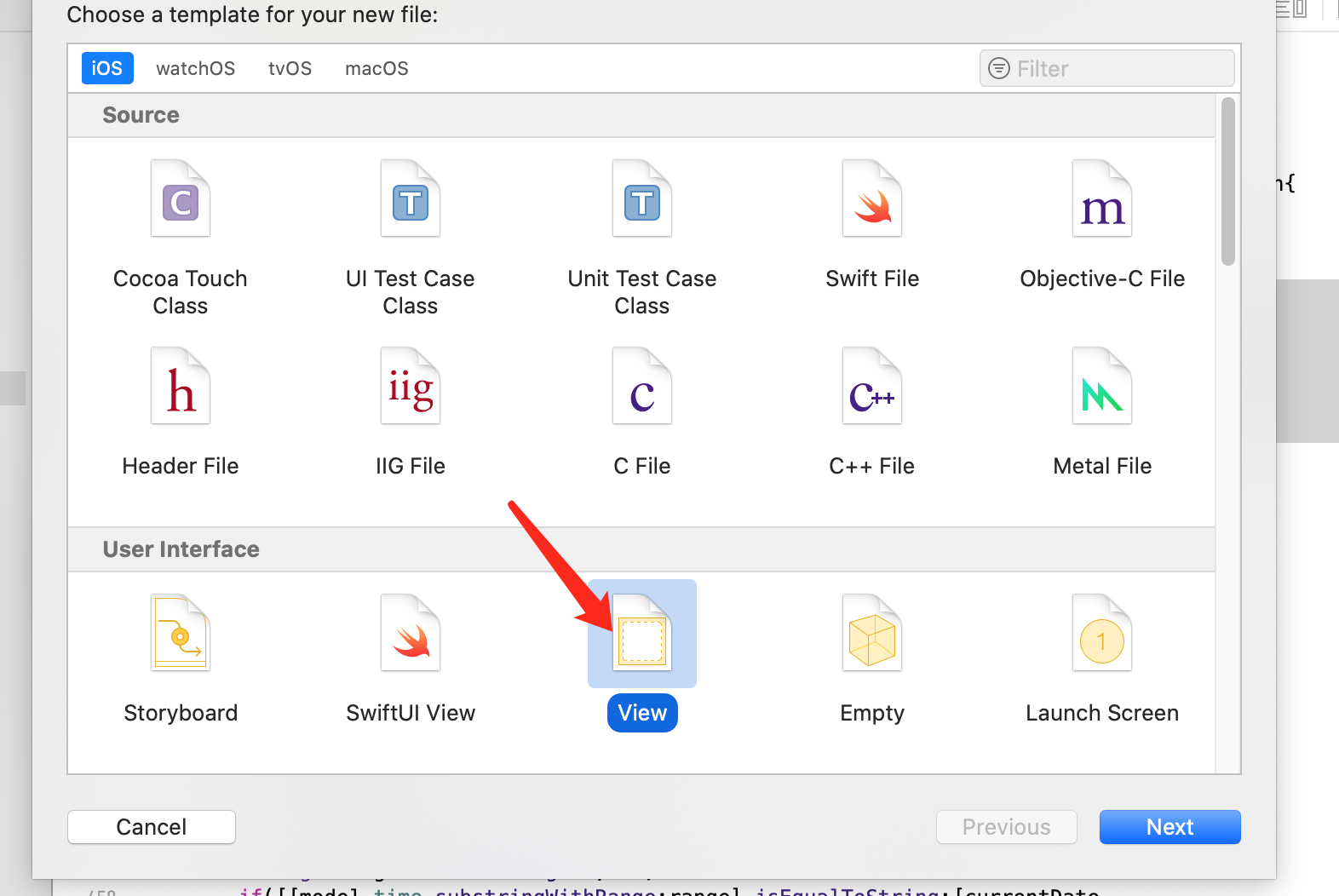
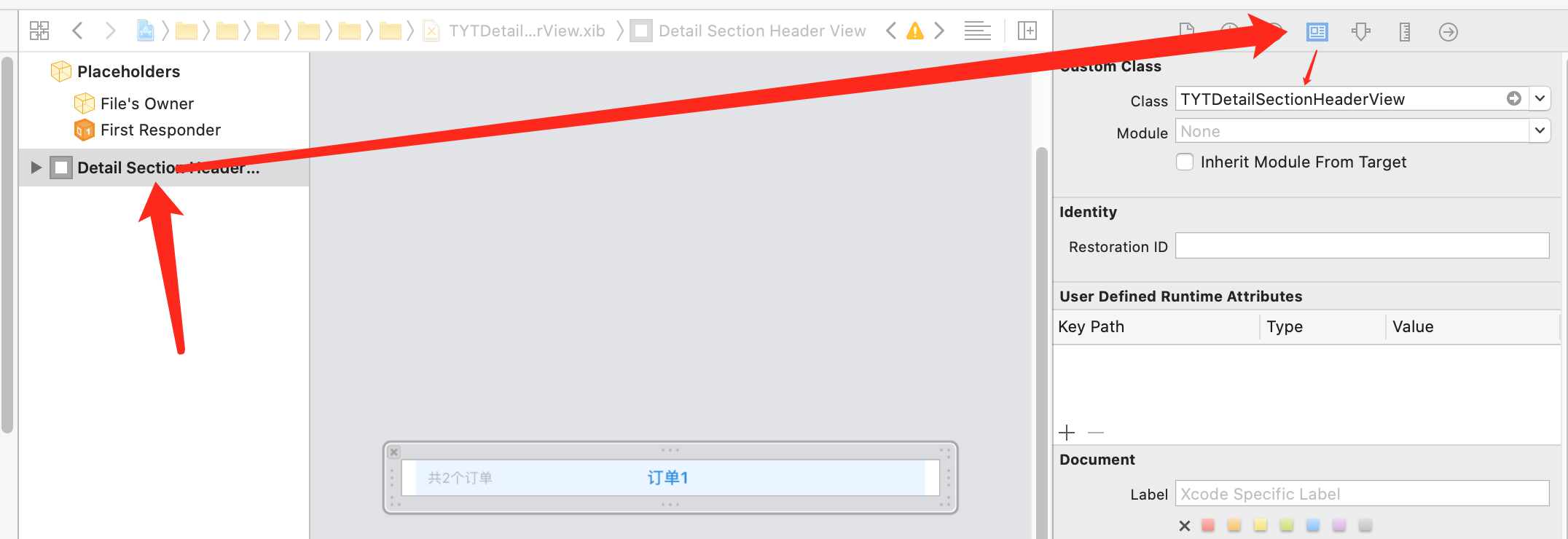
tip:
①、xib的名字可以随便取,只不过涉及到相关的loadNib方法你就需要用正确的名字
②、创建xib的时候,View跟Empty区别就是前者创建完成后会有一个空白的view,仅此而已
2.2、复用
2.2.1、复用方式一
UITableViewCell、UITableViewHeaderFooterView都可以用这种代码的方式进行复用,只要用registerNib方法注册了这个xib,那么你就可以直接通过UITableView的方法对它进行复用
- (void)viewDidLoad {
    [super viewDidLoad];
    [self.tableView registerNib:[UINib nibWithNibName:@"TYTDetailSectionHeaderView" bundle:nil] forHeaderFooterViewReuseIdentifier:@"TYTDetailSectionHeaderView"];
}
- (UIView *)tableView:(UITableView *)tableView viewForHeaderInSection:(NSInteger)section{
TYTDetailSectionHeaderView *header = [tableView dequeueReusableHeaderFooterViewWithIdentifier:@"TYTDetailSectionHeaderView"];
return header;
}
- (CGFloat)tableView:(UITableView *)tableView heightForHeaderInSection:(NSInteger)section{
return 30;
}tip
需要注意的是,如果提前注册了xib,那么UITableViewCell的复用方法是另一个,可以看第二个方法的注释,assuming identifier is registered(假设这个标识符已经注册了)
2.2.1、xib创建UITableViewCell特有的复用方式二
大家在xib中拖控件的时候可以发现并没有UITableViewHeaderFooterView这个控件,但是有UITableViewCell这个控件,所以UITableViewCell可以不用注册,而是可以在xib中手动添加标识符,之后就可以进入复用流程了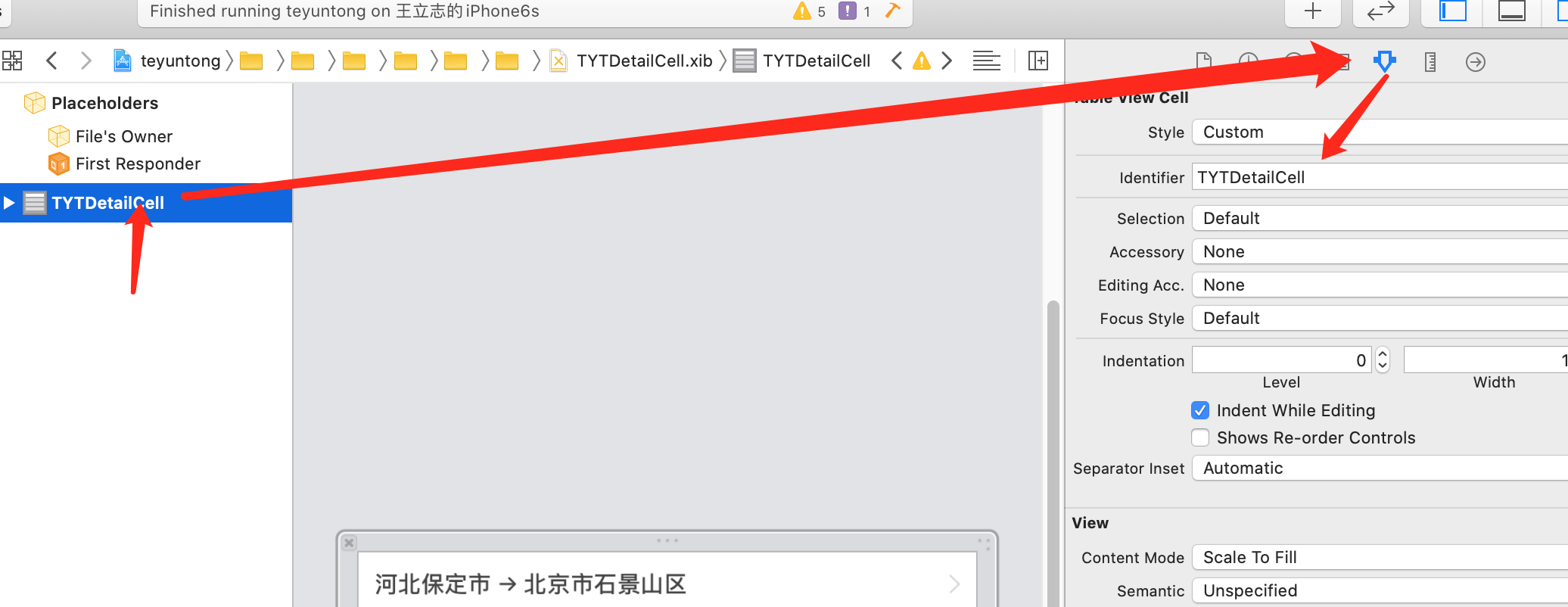
- (UITableViewCell *)tableView:(UITableView *)tableView cellForRowAtIndexPath:(NSIndexPath *)indexPath{
    NSString *identifier = @"TYTDetailCell";
    TYTDetailCell *cell = [tableView dequeueReusableCellWithIdentifier:@"TYTDetailCell"];
    if(cell == nil){
        cell = [[[NSBundle mainBundle] loadNibNamed:identifier owner:self options:nil] lastObject];
    }
    cell.selectionStyle = UITableViewCellSelectionStyleNone;
    return cell;
}
思维发散
如下这么多控件继承自UIView,按照上边的思路,UILabel、UIButton等这些控件,都可以使用xib进行自定义,定义完成之后通过loadNibNamed方法进行创建即可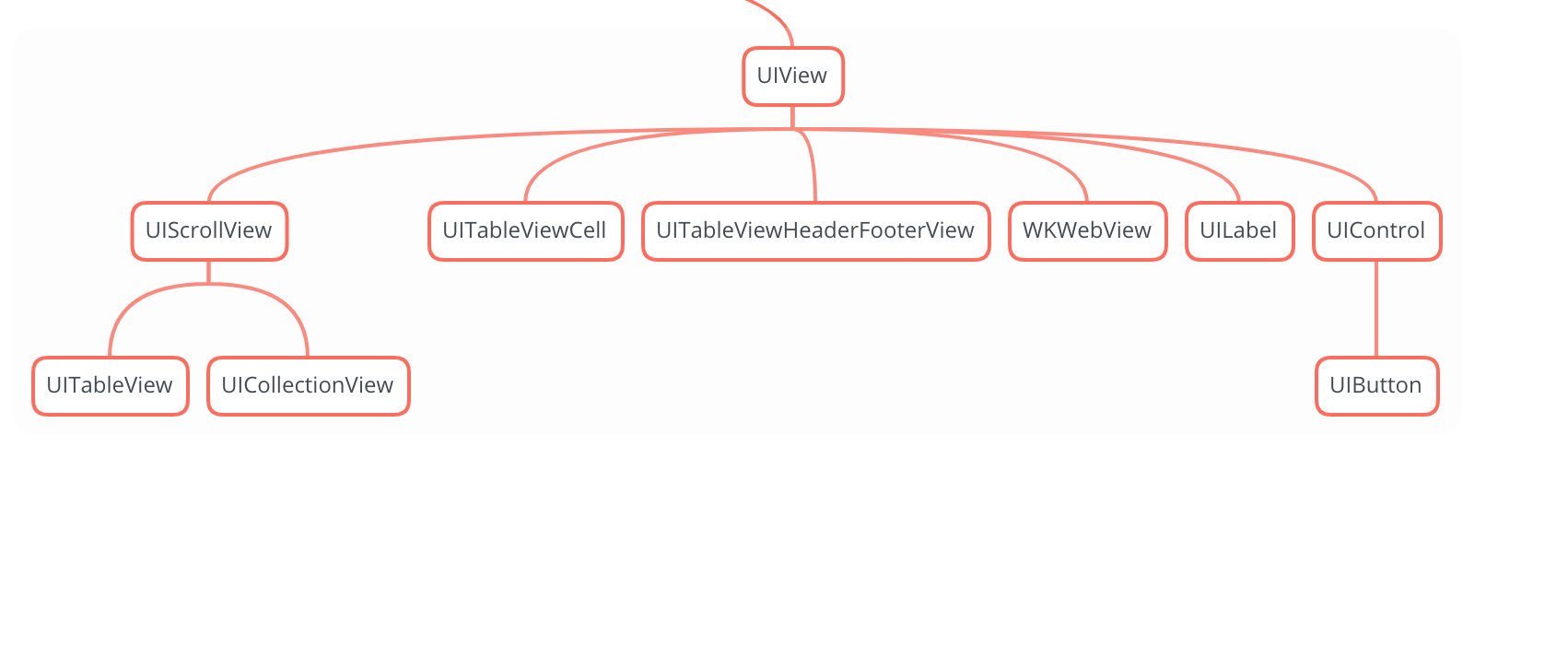
转载请注明来源,欢迎指出任何有错误或不够清晰的表达。可以在下面评论区评论,也可以邮件至 1226169349@qq.com
文章标题:iOS-UITableViewHeaderFooterView创建及复用方式
文章字数:693
本文作者:王立志
发布时间:2020-04-01, 16:51:00
最后更新:2020-04-03, 15:31:04
原始链接:http://yoursite.com/2020/04/01/iOS-UITableViewHeaderFooterView创建及复用方式/版权声明: "署名-非商用-相同方式共享 4.0" 转载请保留原文链接及作者。